






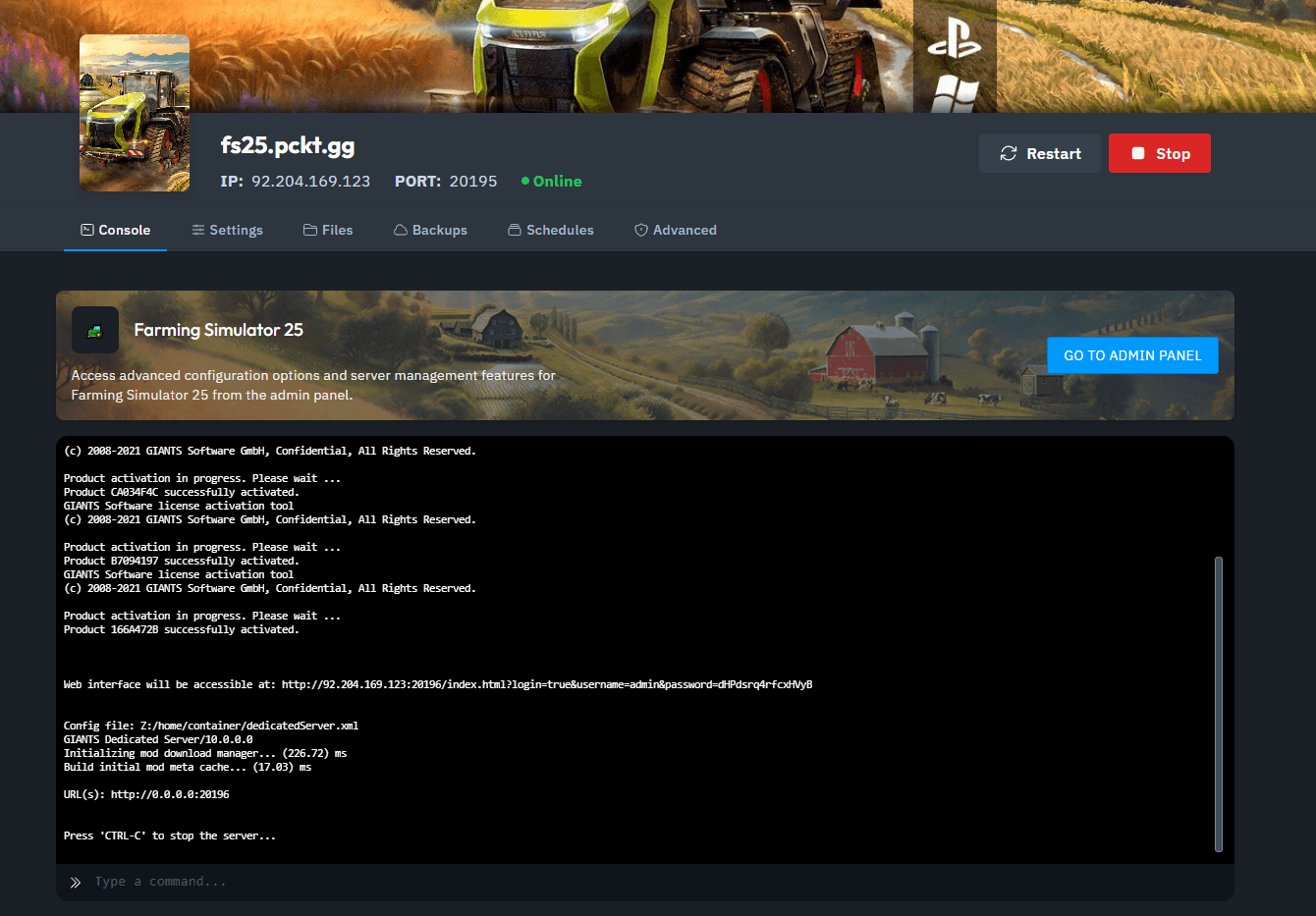
1. Access the Server Console: Open your xREALM Dashboard and locate the Server Console.
2. Open the Web Interface: Click the GO TO ADMIN PANEL button, which directs you to the Farming Simulator Web Interface.
3. Locate Server Details: In the Home tab of the Web Interface, you’ll find your Server Name and Game Password.
.png&w=2048&q=75)
4. Open Multiplayer Mode: In Farming Simulator 25, go to the Multiplayer menu.
.png&w=2048&q=75)
5. Join Game: Select Join Game to view available servers.
.png&w=2048&q=75)
6. Search for Your Server: Enter your Server Name in the search bar, making sure to select the correct language.
.png&w=2048&q=75)
7. Connect to Your Server: Click on your server from the list, press Enter, and enter your Game Password when prompted.
.png&w=2048&q=75)
You’re now connected and ready to enjoy your Farming Simulator 25 multiplayer experience! Happy farming!