






Dune Awakening Character Transfer Guide
Follow these steps to safely transfer your character, base, and vehicles to another server without losing progress.
Transferring your character in Dune Awakening allows you to move from Official Servers to Private Servers, or between Private Servers if character transfer is enabled.
This guide explains exactly how the Dune Awakening character transfer system works, what you keep, what you lose, and how to safely move your base and vehicles.
What Transfers in Dune Awakening
Before starting a Dune Awakening server transfer, understand what carries over.
You Keep
- Character level
- Skills and progression
- Backpack contents
- Bank contents including Solari and stored items
You Lose Unless Backed Up
- Base
- Vehicles
- Exchange listings
- Sub fiefs
- Unstored resources
Important:
- Each transfer costs 1 Transfer Token
- You receive 1 Transfer Token every 7 days
- You cannot transfer back to Official Servers
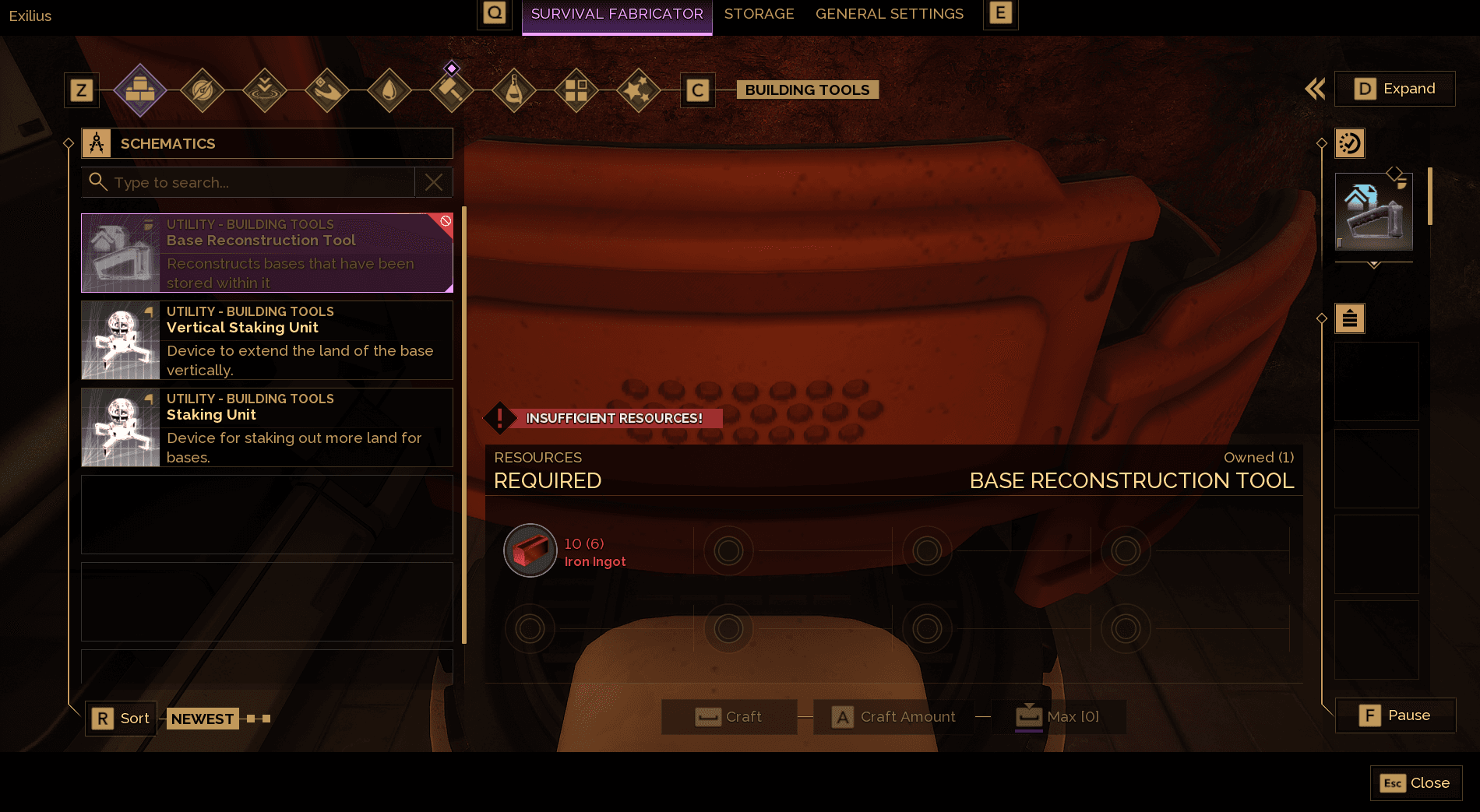
Step 1 Craft the Base Reconstruction Tool
To move your base to another server in Dune Awakening, craft the Base Reconstruction Tool.
Requirements:
- 6 Iron Ingots
- Access to a Fabricator
This tool allows you to back up your entire base and redeploy it on the destination server.
Step 2 Store Your Vehicles Before Transfer
Use the Vehicle Backup Tool to store any vehicle you want to keep.
Any vehicle not stored will be permanently lost during the Dune Awakening character transfer.
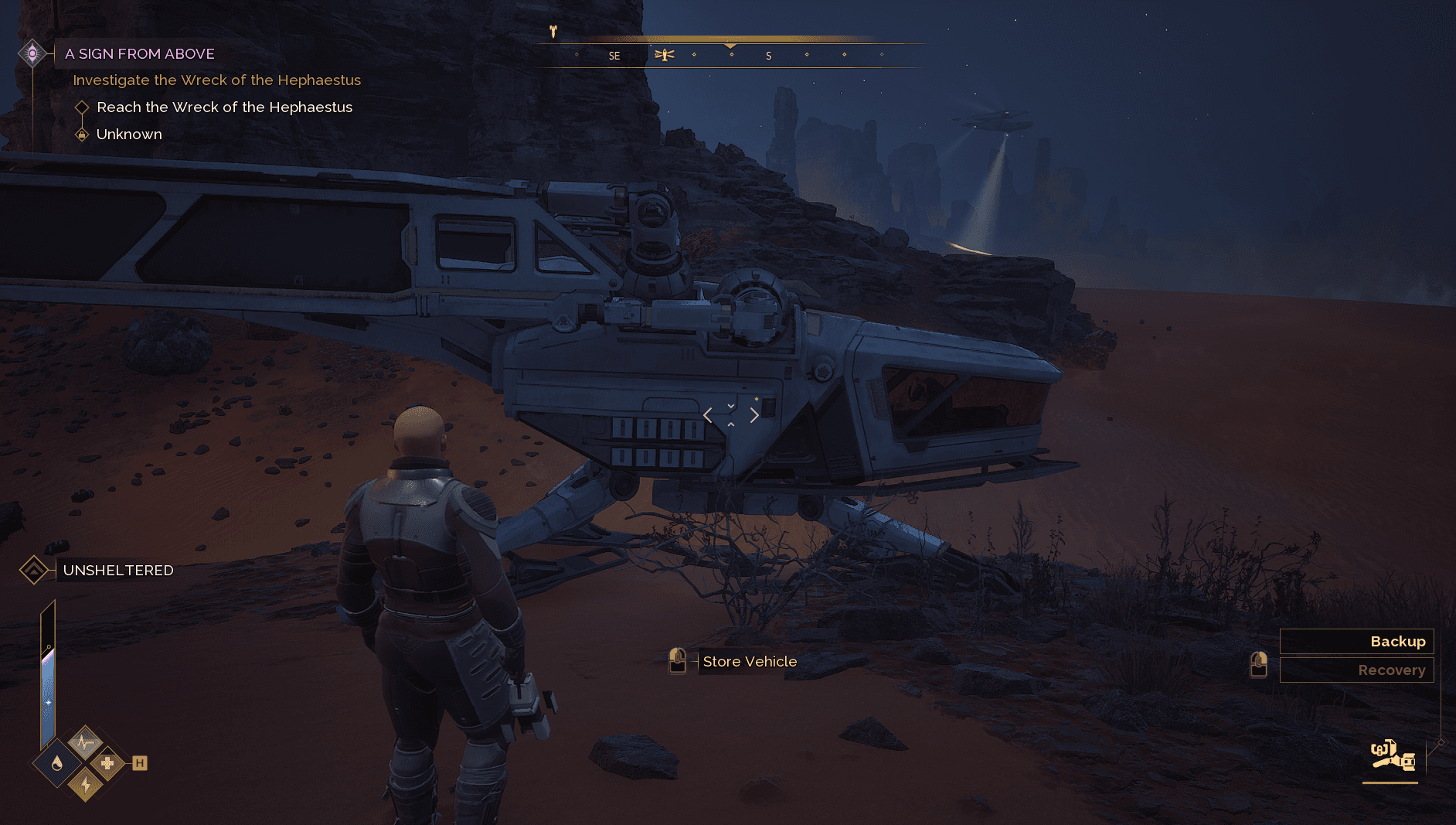
Step 3 Back Up Your Base
Equip the Base Reconstruction Tool and select Backup Base.
This stores your base so it can be placed again after the server transfer.

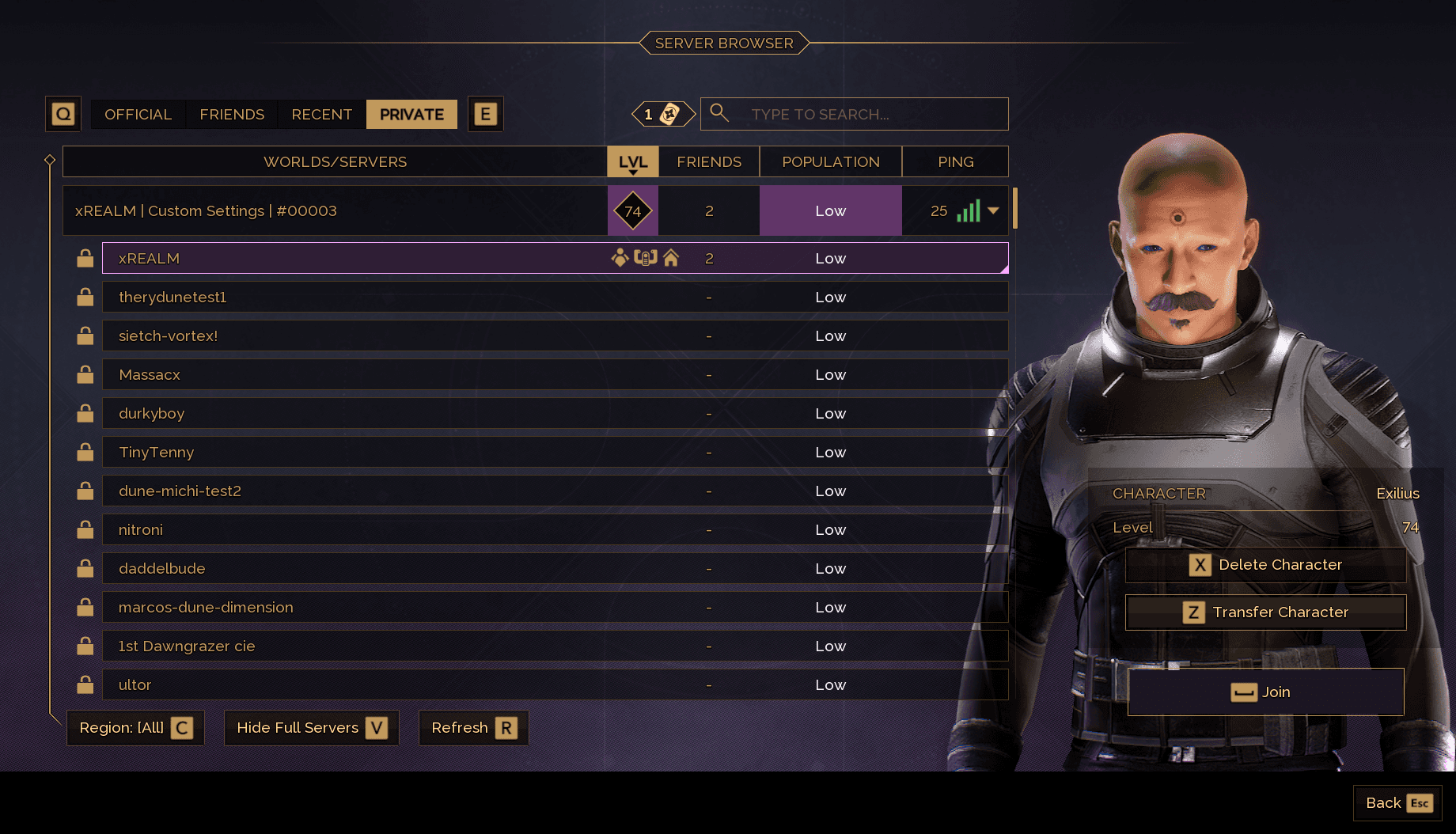
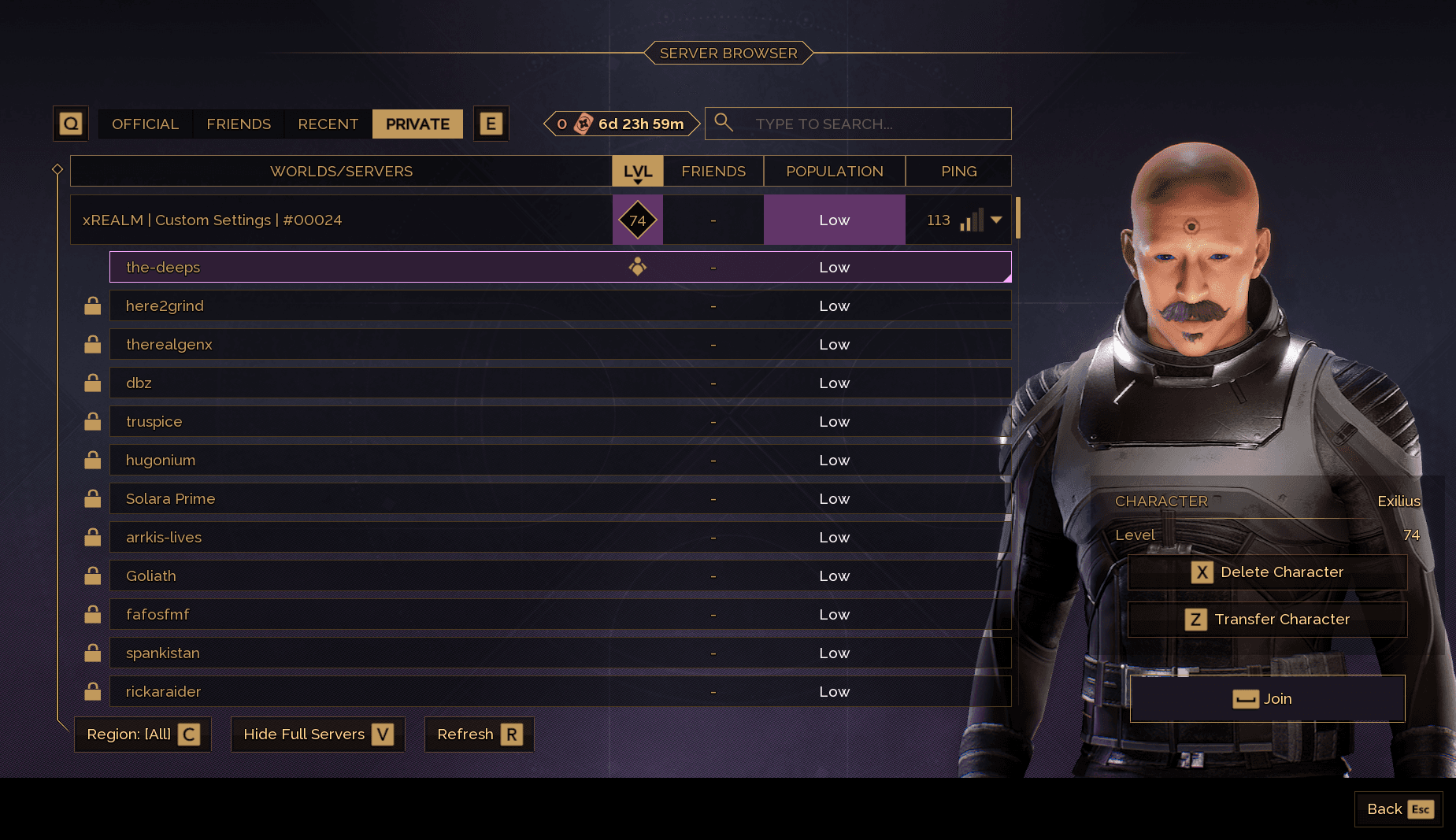
Step 4 Open the Server Transfer Menu
- Open the Server Browser
- Select your current World and Server
- Press Z to open the Character Transfer menu
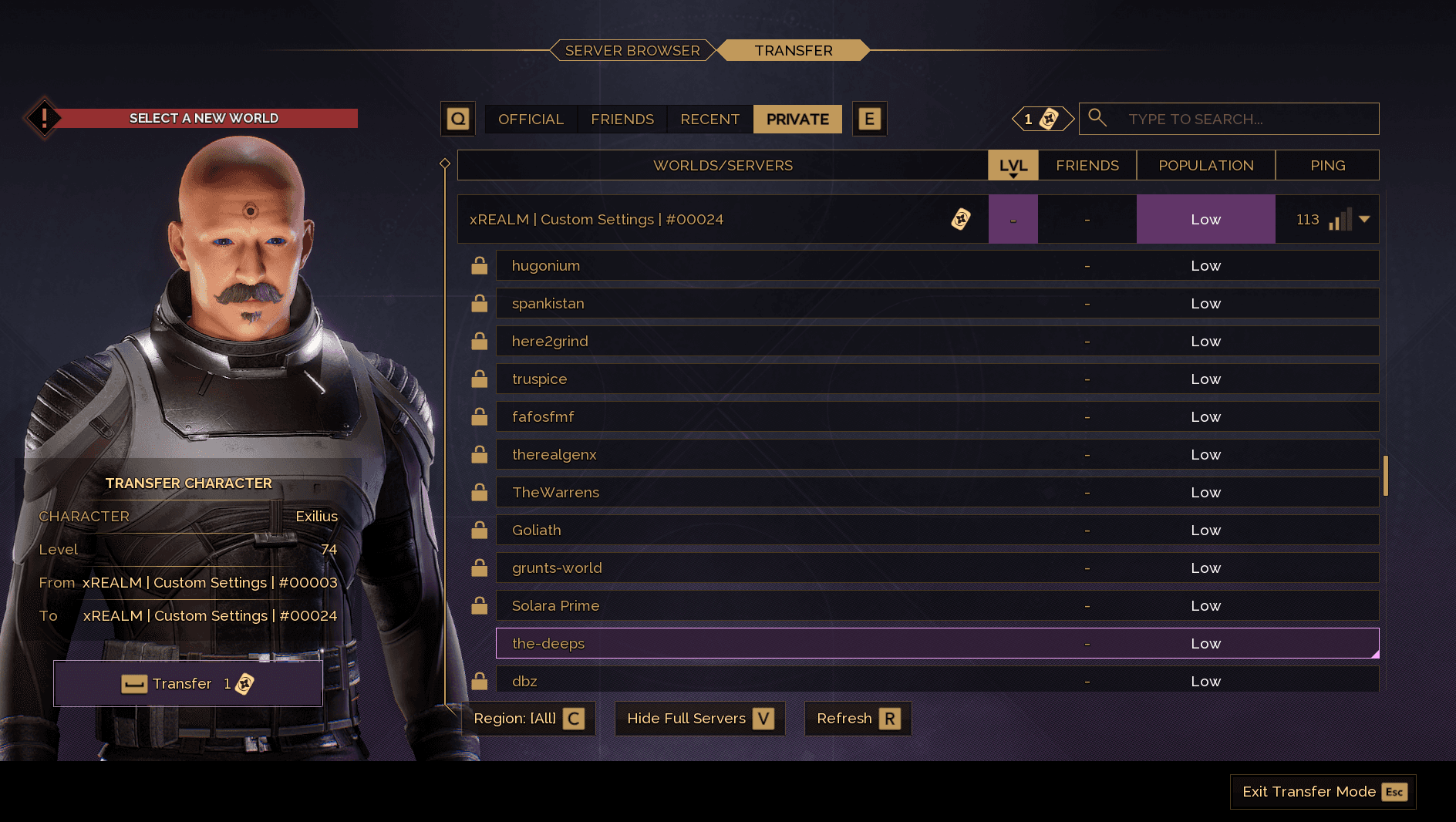
Step 5 Select the Destination Server
Choose the World and Server you want to transfer to.
Make sure:
- Transfers are enabled on that server
- You understand you cannot return to Official Servers
- You have at least 1 Transfer Token available
After selecting your destination, press Spacebar to continue.
Step 6 Confirm the Transfer
Carefully read the transfer warning screen.
Type:
transfer
Press Spacebar to confirm.
This action cannot be undone.
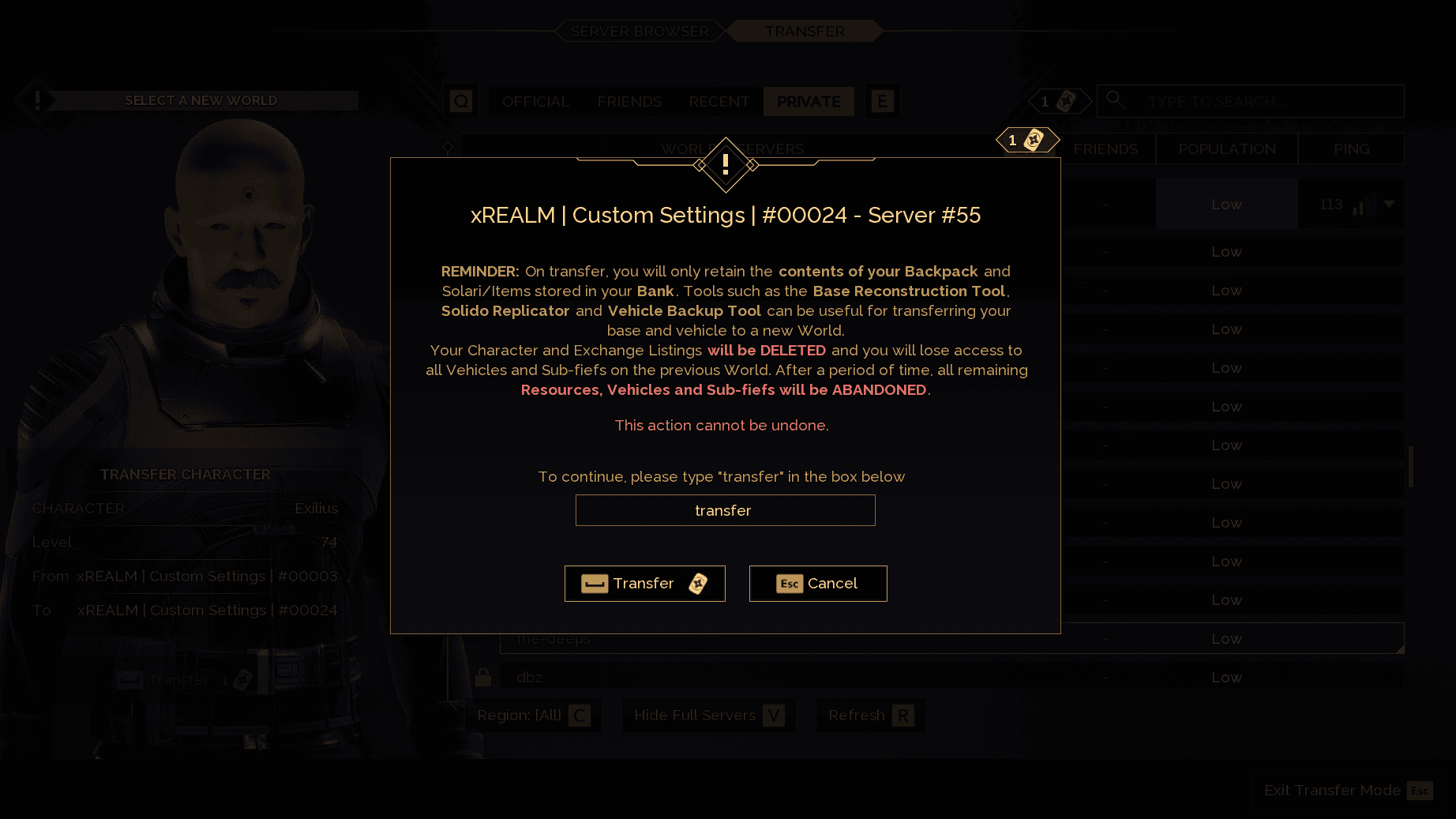
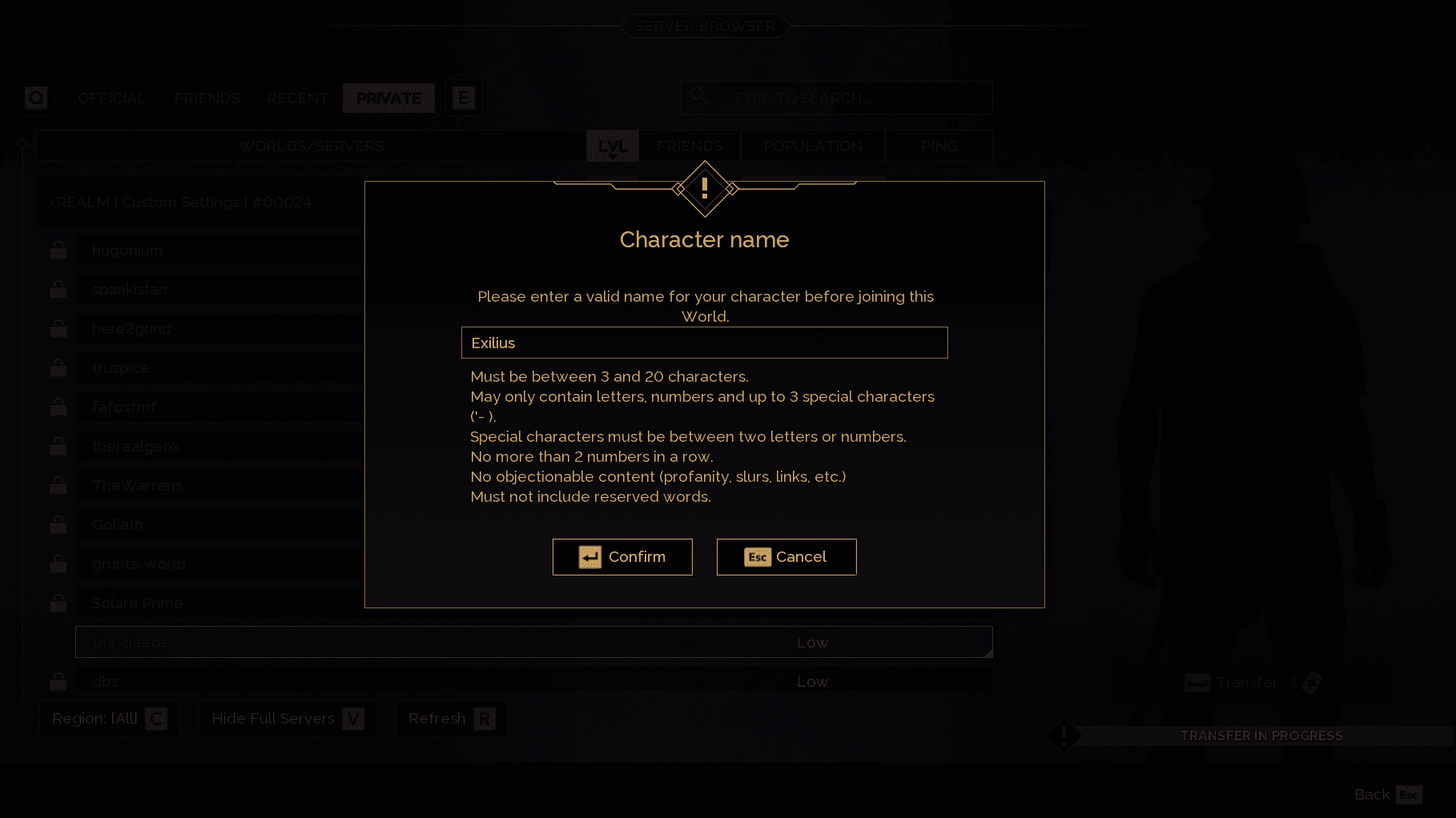
Step 7 Enter Your Character Name
You can keep your current name or enter a new one.
Character names must follow the general naming rules.
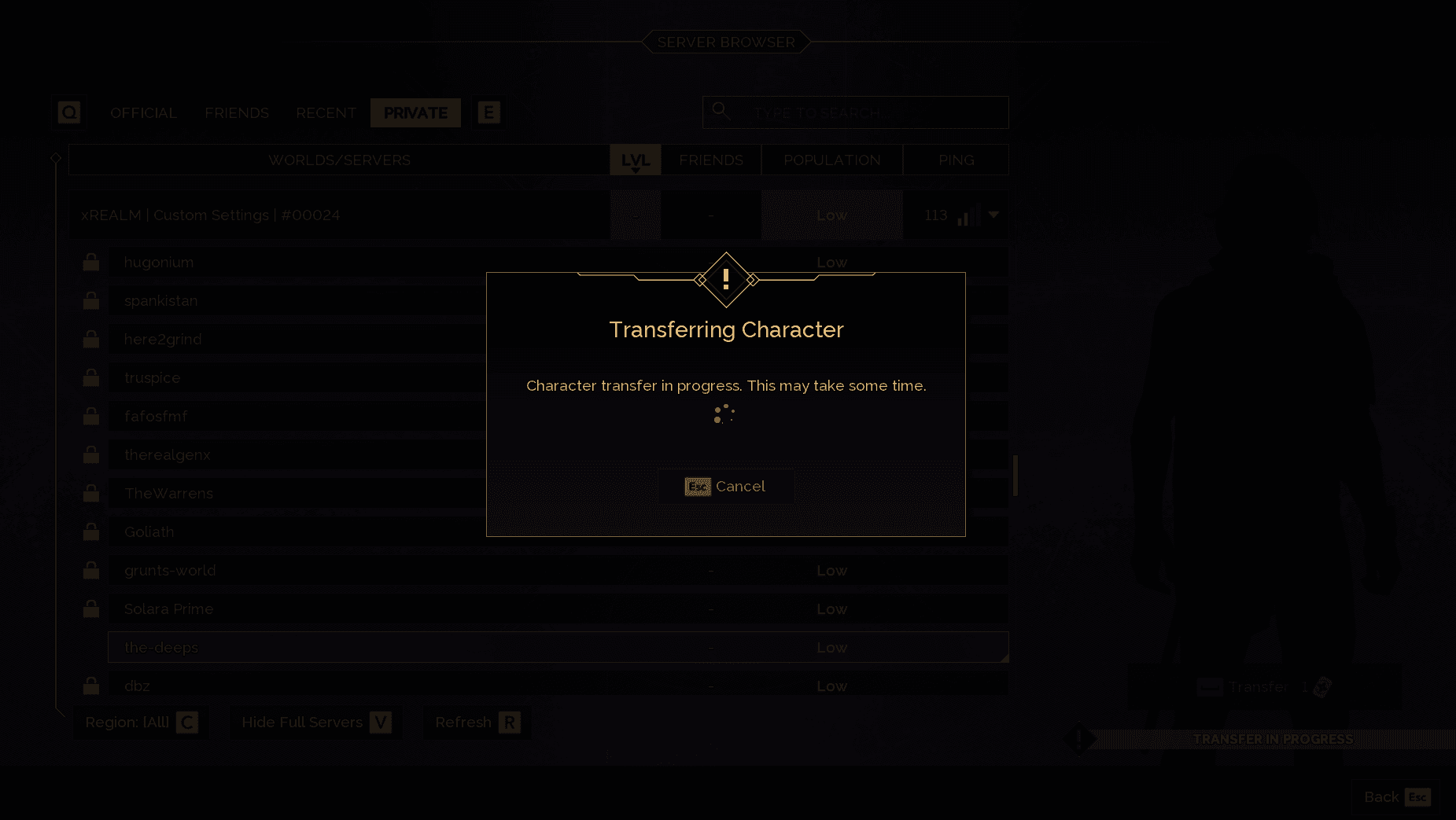
Step 8 Wait for the Character Transfer to Complete
The Dune Awakening character transfer process may take several minutes.
Do not exit the game during this step.
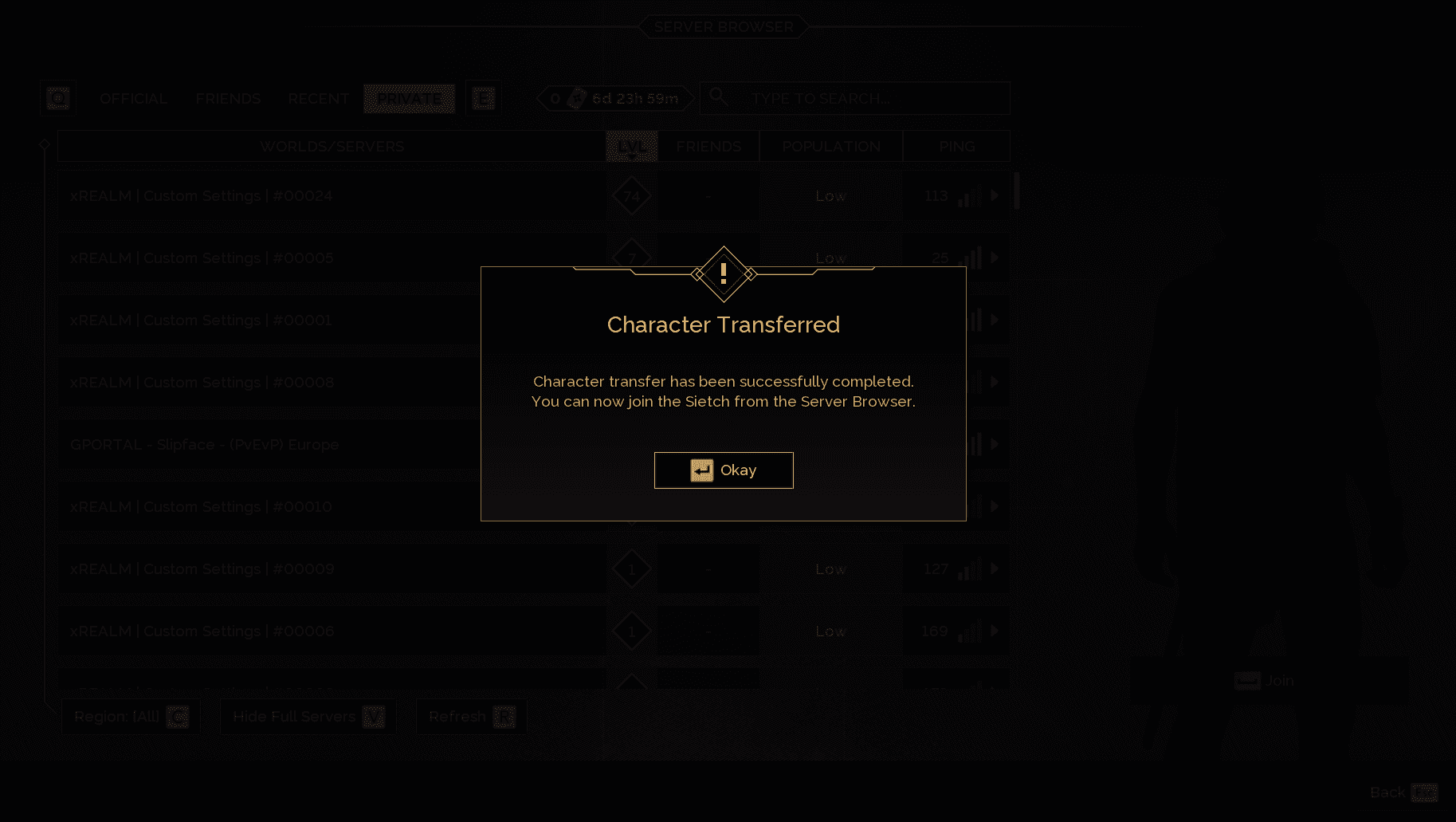
Step 9 Transfer Complete Confirmation
Once successful, you will see a confirmation message.
Click Okay.
Step 10 Join the New Server
Your character should now appear on the destination World.
Join the server.
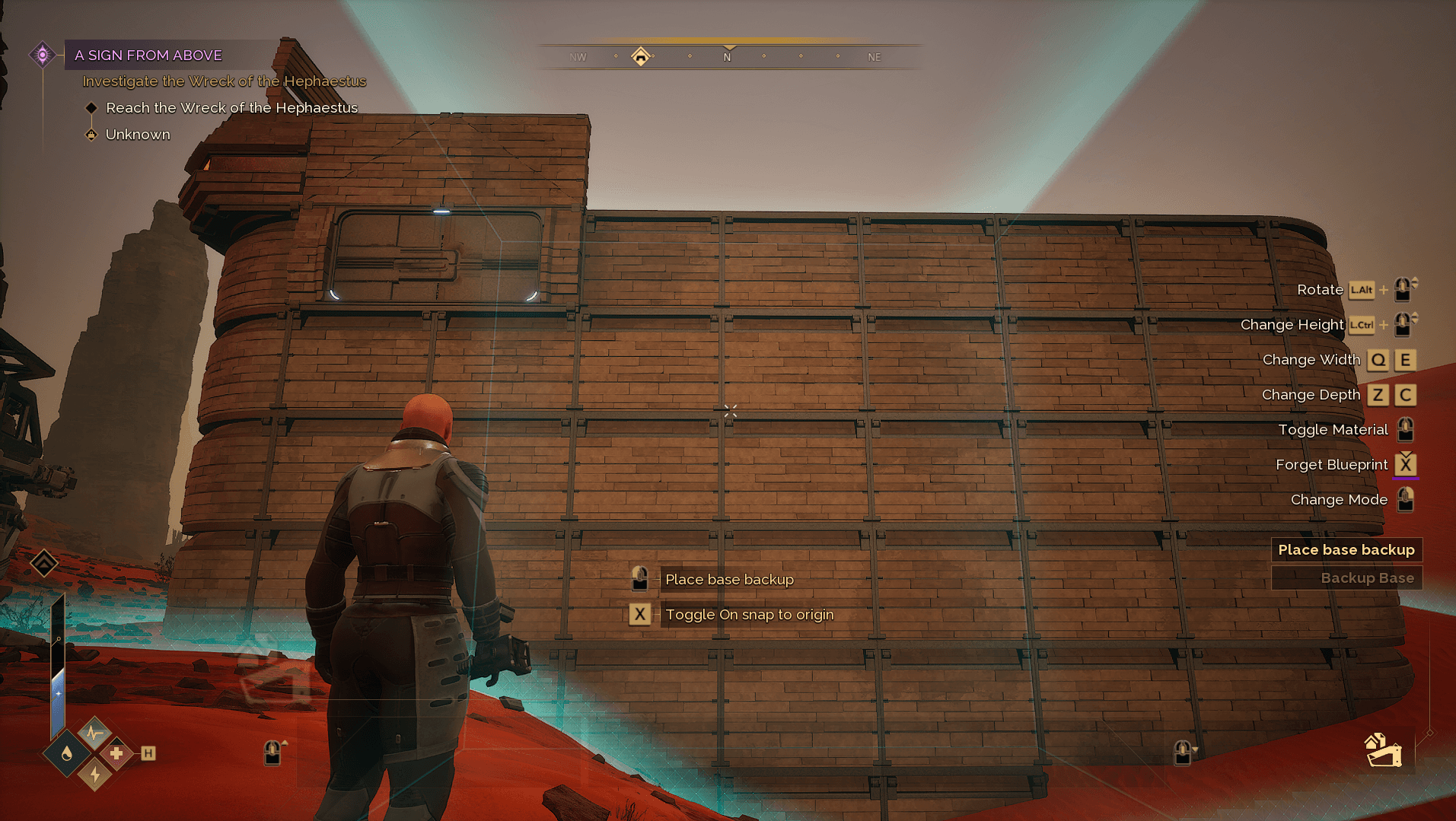
Step 11 Restore Your Base on the New Server
Equip the Base Reconstruction Tool and place your base.
You can now restore stored vehicles and continue playing on your new Dune Awakening server.
Dune Awakening Character Transfer FAQ
How often can you transfer your character in Dune Awakening?
You receive 1 Transfer Token every 7 days. Each transfer costs 1 token.
Can you transfer back to Official Servers?
No. Transfers to Official Servers are not allowed.
Do bases transfer automatically in Dune Awakening?
No. You must manually back them up using the Base Reconstruction Tool.
Do vehicles transfer automatically?
No. Vehicles must be stored using the Vehicle Backup Tool.
Can you transfer between Private Servers?
Yes, as long as character transfer is enabled on both servers.