




How to Transfer Your Character from a Closed World
If your previous world has closed, you can use the in-game transfer system to move your character to a new world and Sietch.
Before You Transfer
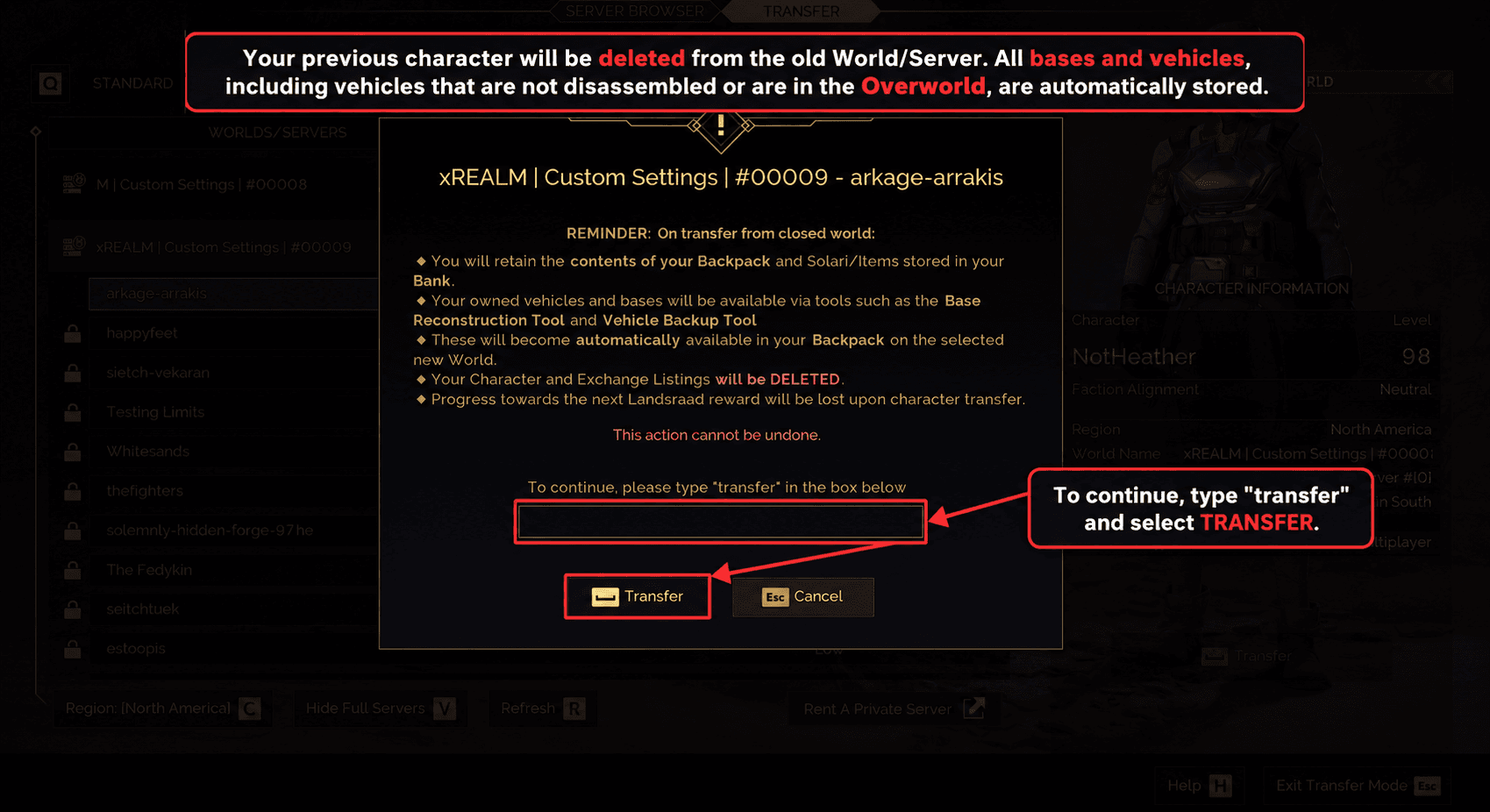
Please read the confirmation screen carefully before continuing. This transfer cannot be undone.
Your backpack contents, Solari, and items stored in your bank will be retained.
Your bases and vehicles will be stored automatically, including vehicles that were not disassembled or were located in the Overworld.
Your character on the old world, Exchange listings, and progress towards your next Landsraad reward will be deleted as part of the transfer.
1. Open the Character Menu
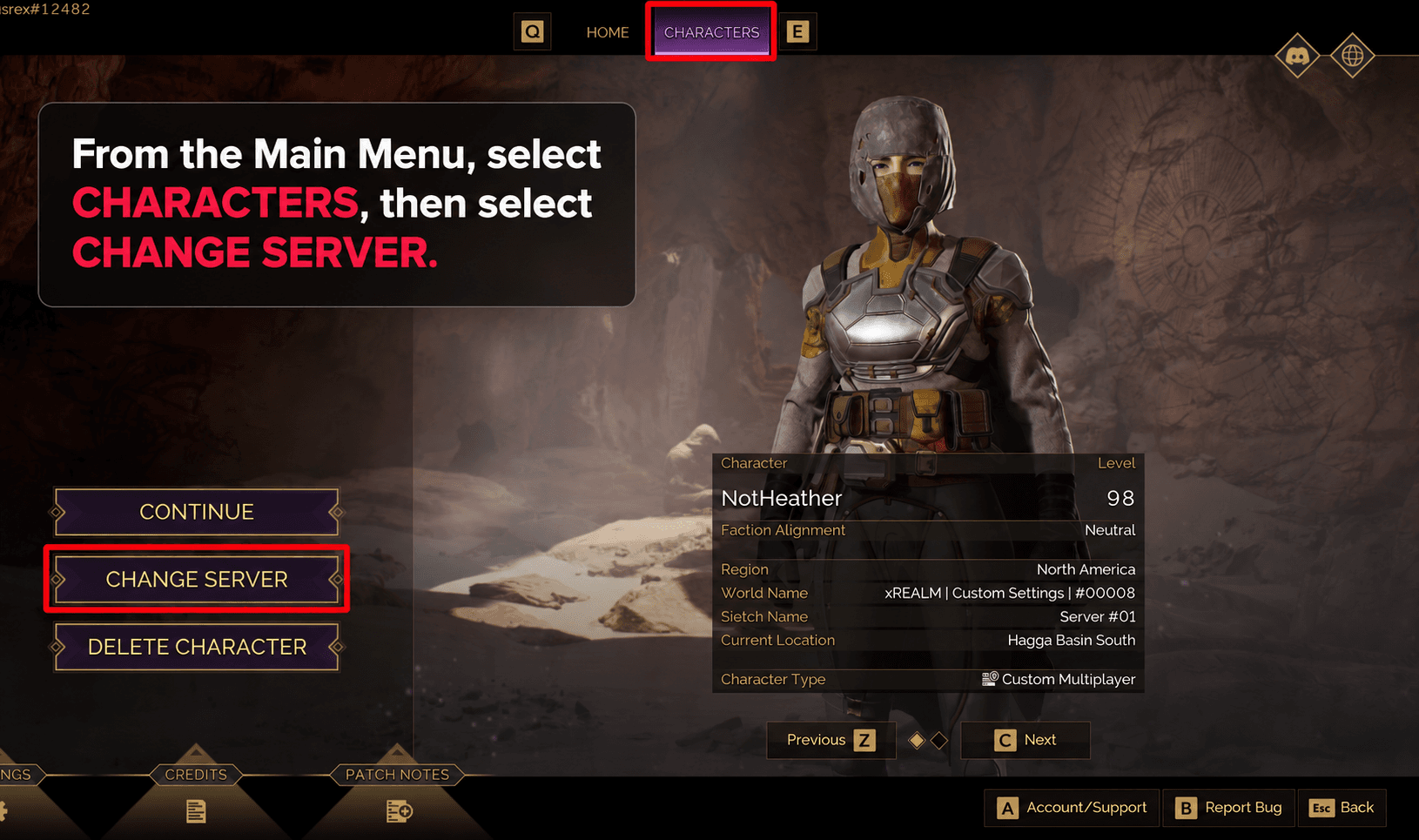
From the main menu, select Characters.
Choose the character you would like to transfer, then select Change Server.
2. Select Your New World and Sietch
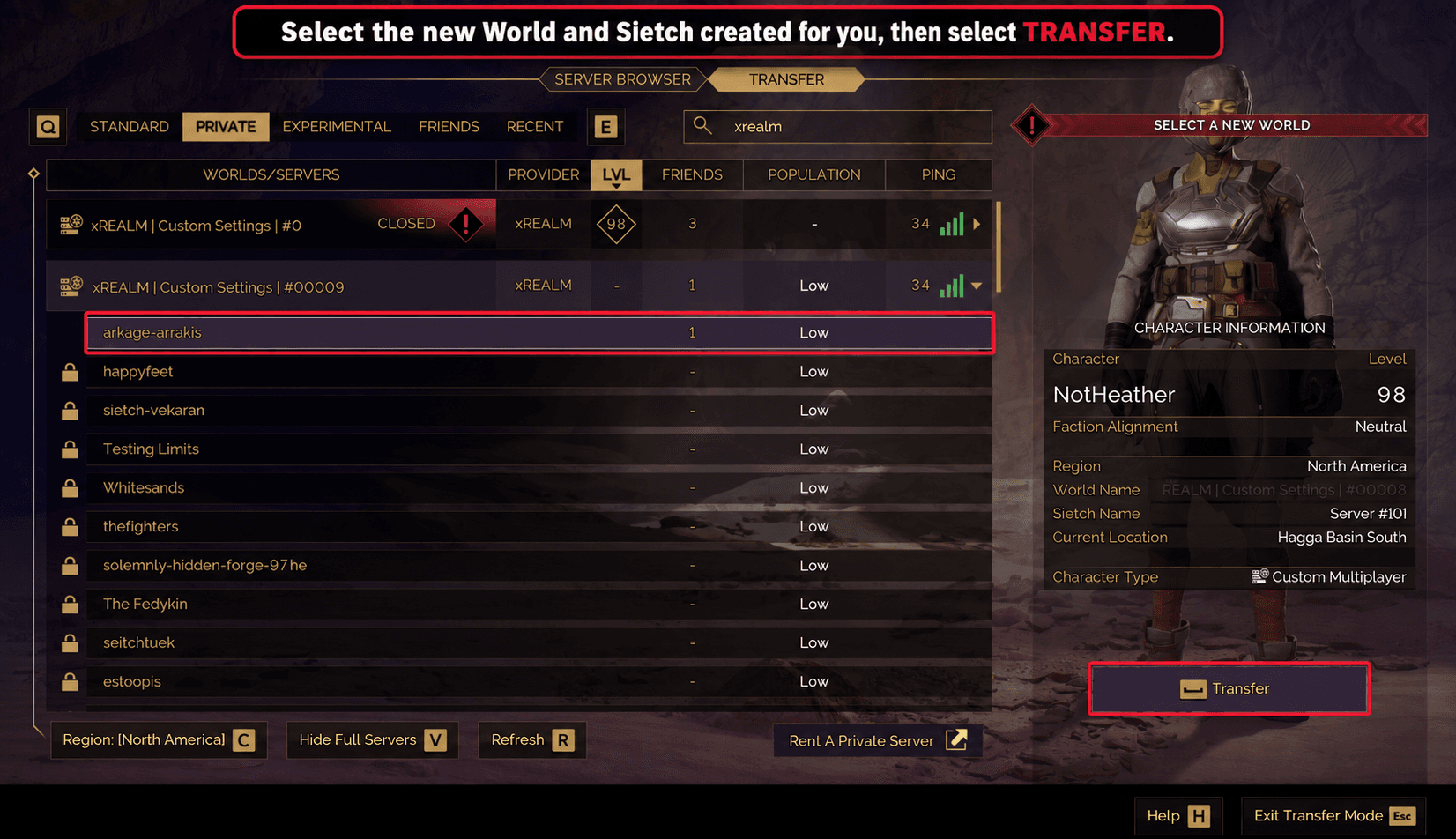
Open the Transfer tab.
Select your new World, we already created a mirrored server on the new World for you. Once selected, click Transfer.
EU-Nordics#00025 ➜ #00001
EU-Central#00027 + #00021 ➜ #00015#00030 ➜ #00005#00011 + #00018 ➜ #00003
US-West#00006 ➜ #00014#00022 ➜ #00029
US-Mid#00017 + #00020 + #00026 ➜ #00013#00031 + #00008 ➜ #00009
US-East#00028 + #00024 + #00019 + #00016 + #00012 ➜ #00010
3. Confirm the Transfer
The game will display a final confirmation screen.
To continue, type transfer into the field and select Transfer.
4. Join Your New World
Log in to your new world with the transferred character.
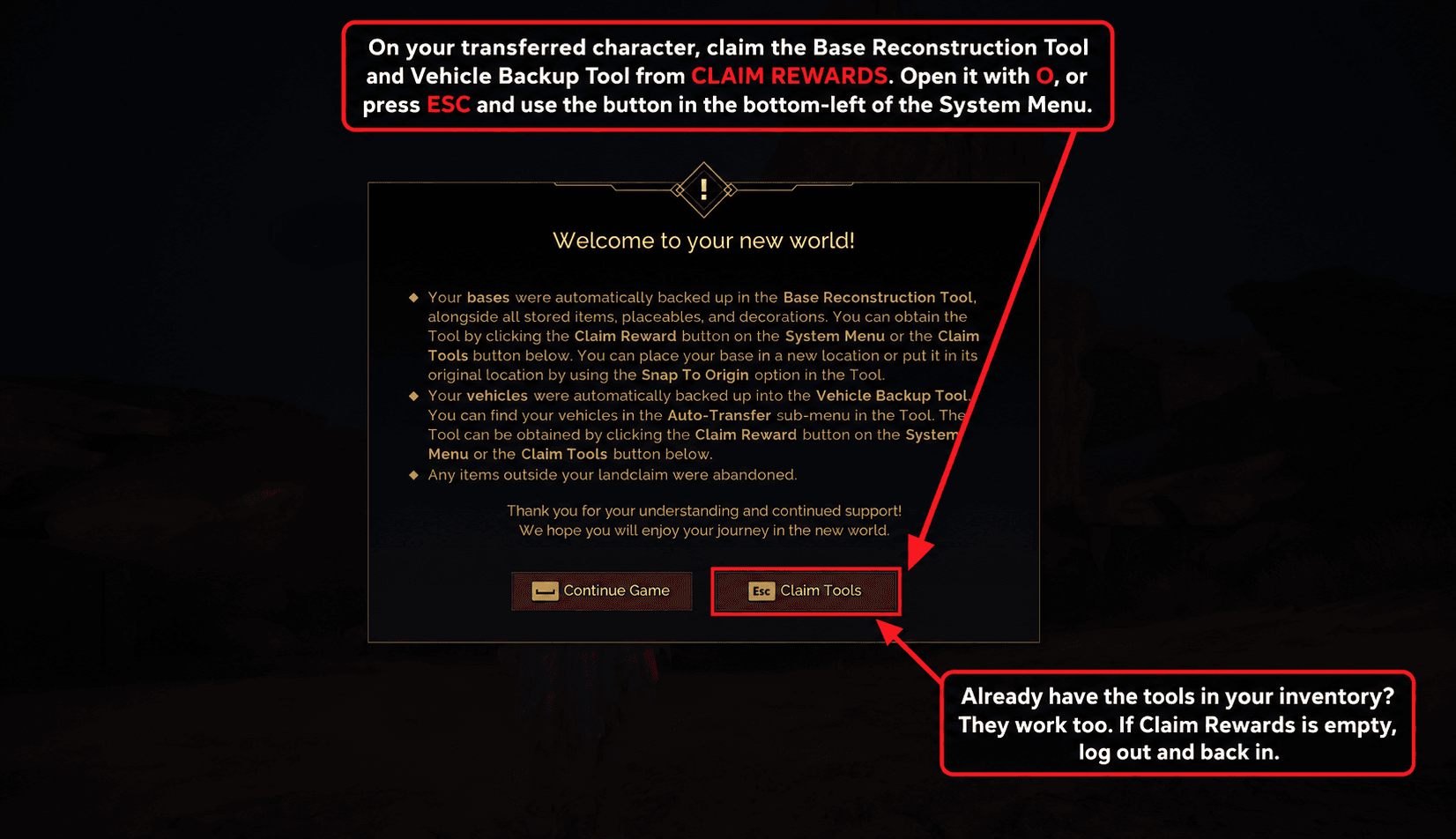
You should receive a welcome message explaining that your bases and vehicles are ready to be claimed.
Open Claim Rewards to receive the Base Reconstruction Tool and Vehicle Backup Tool.
You can open this menu by pressing O, or by pressing Esc and selecting the button in the bottom-left of the System Menu.
If you already have these tools in your inventory, you can use them normally.
If Claim Rewards is empty, log out and back in once. The menu should then populate.
5. Restore Your Base
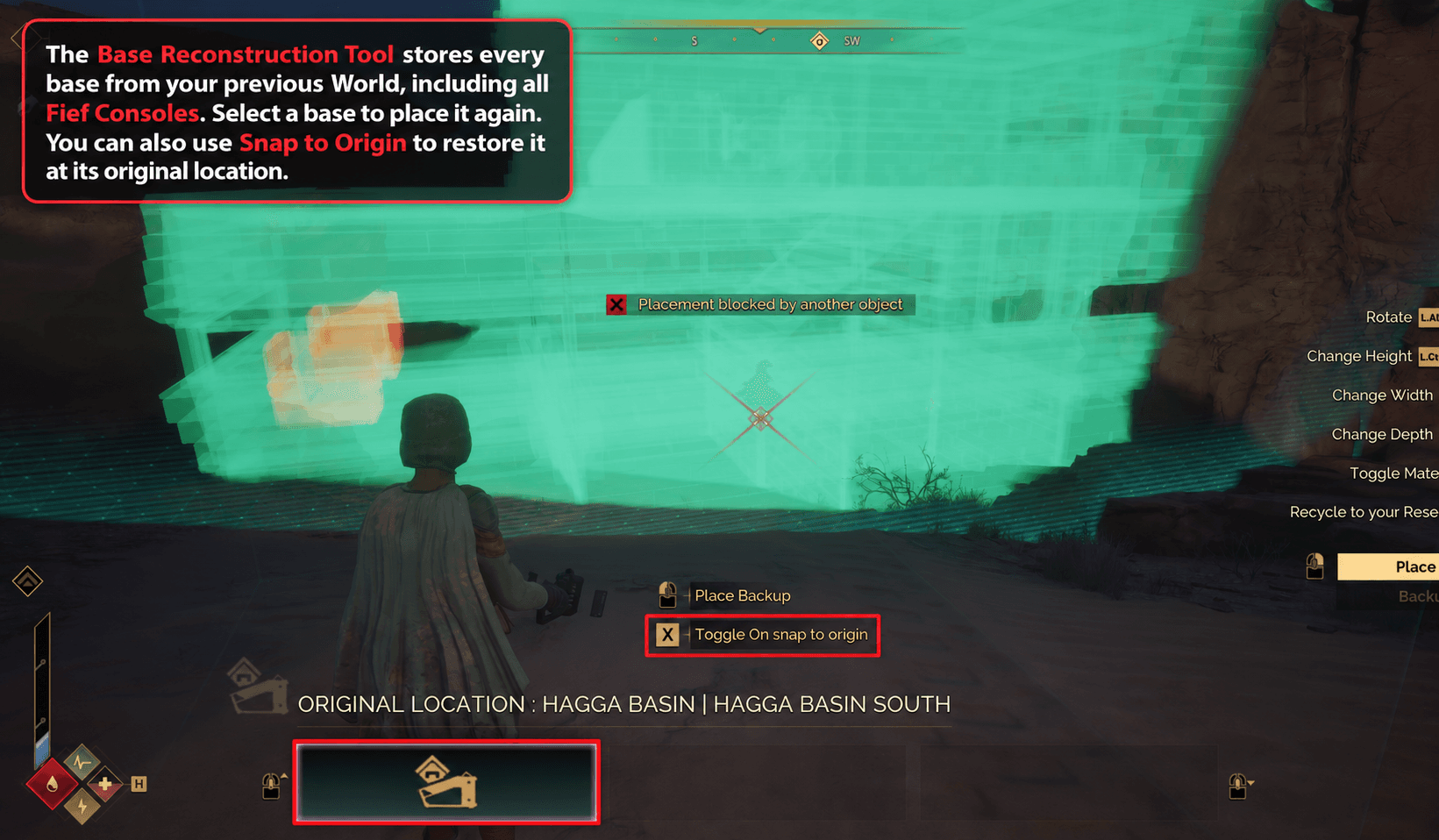
Use the Base Reconstruction Tool to access your stored bases from the previous world, including Fief Consoles, stored items, placeables, and decorations.
Select a base to place it in a new location, or use Snap to Origin to place it at its original location.
Please note that items outside your landclaim were abandoned and cannot be recovered.
6. Recover Your Vehicles
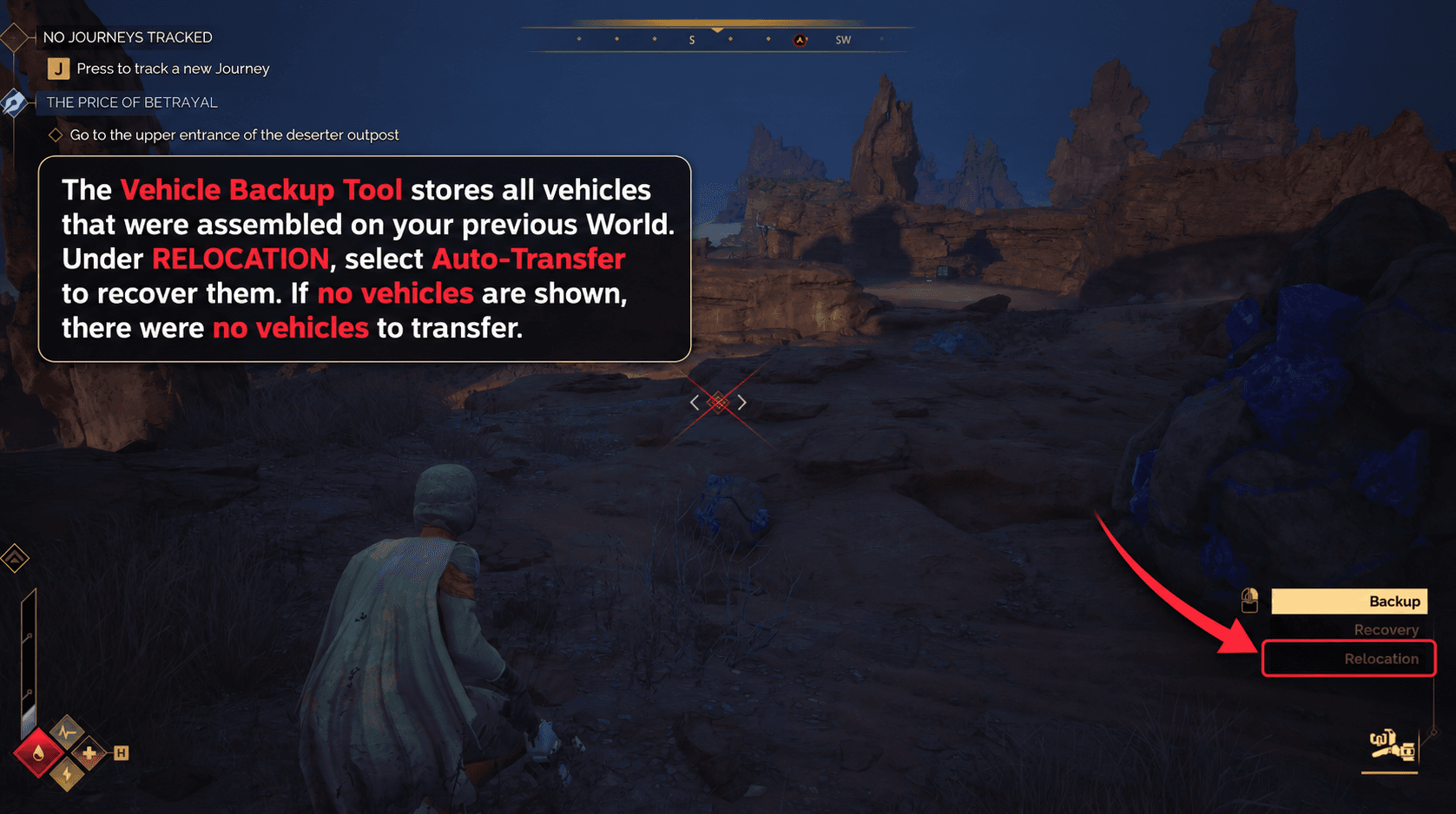
Use the Vehicle Backup Tool to recover vehicles that were assembled on your previous world.
Open the tool and select Auto-Transfer under Relocation.
If no vehicles are shown, no vehicles were available to transfer.