






Connecting to your dedicated Windrose server is quick and straightforward. No IP addresses, no complicated setup, just an invite code and a few clicks.
Step 1: Find Your Invite Code
In your server panel, you’ll find your Invite Code, which is used to connect to your server in-game.
- Go to the Settings tab
- Locate the Invite Code field
- You can change this code at any time
Note: Changing the invite code requires a server restart to take effect.
.png&w=3840&q=75)
Step 2: Open the Server Browser
Windrose Connect to Server Screen
Launch Windrose and navigate to the server browser:
- Click Play in the main menu
- Select Connect to Server
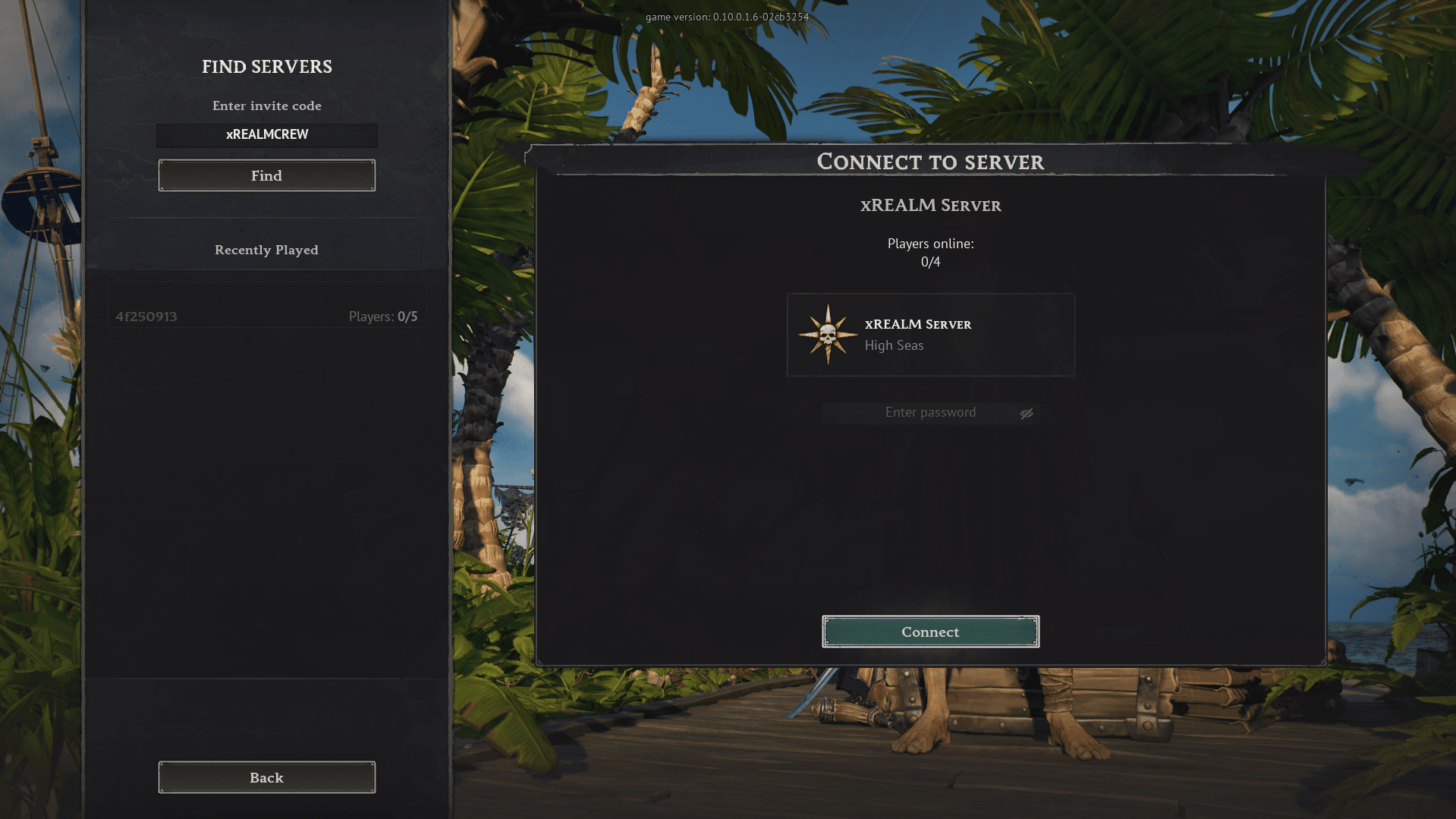
Step 3: Enter the Invite Code and Connect
Once you're in the server browser:
- Enter your Invite Code
- Click Find
- Your server will appear on the left side
- If you set a password, enter it
- Click Connect
You’re now connected to your dedicated Windrose server.
Troubleshooting
If your server doesn’t appear:
- Double-check the invite code for typos
- Make sure your server is online
- Restart the server if you recently changed the invite code